Legacy
How to Use AI Skills to Become Better at Your Job
Keith Brown · Founding Partner, Outperform Ventures
Oct 14, 2026 · 5 min read
Skills may be the most underused part of AI. Turn the feedback you've already been given into instructions your AI follows every time, and you get a coach who never forgets.
I just created a skill in Claude. It holds my thesis for 2027, and it runs potential investments, founders, ideas and even my own thoughts through a sanity check. I think skills are one of the most underused things in AI today.
Most people are already using AI at work. In Microsoft and LinkedIn's Work Trend Index, 75% of knowledge workers said they use it. Very few have taught it how they want to grow. I covered the bigger shift in how to plan five years out when AI changes everything.
We all need people who will give us feedback. That's how we improve.

What is an AI skill?
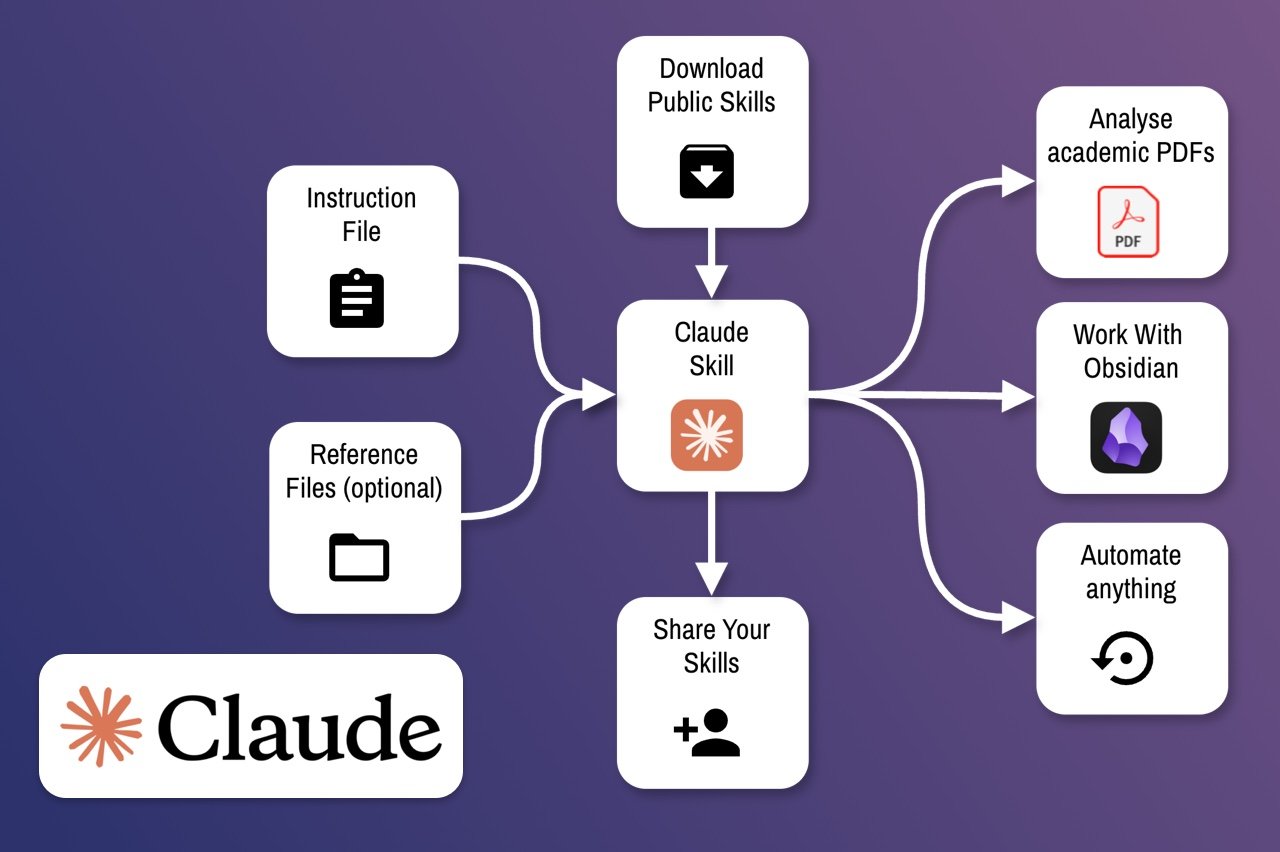
A skill is a saved set of instructions your AI assistant pulls in whenever a task calls for it. Anthropic introduced Agent Skills for Claude in October 2025. Similar features now show up in most AI apps, under names like custom instructions, projects or custom GPTs.
The difference from a normal prompt is that you write it once. You don't have to remember to paste it in. The AI applies it every time the topic comes up.
That makes a skill feel less like a tool and more like a person who knows how you work.
How I built my 2027 thesis skill
I have a specific thesis for the next 12 months. It guides a lot of my decisions and investments at Outperform Ventures, and it has changed a lot as the landscape has changed.
Over coffee this morning, a friend gave me some incredible insights. I took those, combined them with things I'd read online, and wrote them into a skill. Now when I look at a founder or an idea, Claude checks it against what I believe about 2027.
It doesn't decide for me. It catches the moments when I'm drifting from my own thinking.
Why skills will make you look great at work
Everybody has team members, and every team member has told someone how they could improve. Most of that feedback gets heard once and forgotten.
A colleague says, "I wish you were more proactive." Or, "You have a gift for building systems." Your manager says to speak up more, or think more about revenue. You nod, and a week later you're back to old habits.
A skill keeps that feedback in front of you. Write it down once, and your AI reminds you every time you work. Using skills this way will make you a rock star in your job.
Five example skills you can copy
Here are five skills built from common feedback. Each one is short. Paste the instructions into a skill, a project or your custom instructions, and adjust the words to fit you.
1. Build systems, not one-offs. For the person told they're good at systems.
When I ask for help with a task, first ask whether it will happen again. If it will, suggest a repeatable system, template or checklist instead of a one-time fix. Remind me to write it down so my team can use it.
2. Be more proactive. For the person whose manager wants them to act before being asked.
At the end of every plan or answer, list one thing I could do before anyone asks me to. Point out risks I should raise with my boss now, not after they happen.
3. Speak up and be direct. For the person told they hold back in meetings.
When I draft an email, message or meeting note, show me where I'm hedging. Rewrite my main point as the first sentence. Before a meeting, give me one clear opinion I can share.
4. Think about revenue. For the person told to connect their work to the business.
For any project I describe, ask how it makes money, saves money or keeps a customer. If I can't answer, help me find the link or tell me to rank it lower.
5. Prioritize my day. For the person who stays busy but doesn't move the big things.
When I share my to-do list, pick the one task that matters most for my goals this quarter. Move it to the top. Suggest what I can delegate, delay or drop.
If you lead a team and want to see where AI is already helping or costing you, try my AI Check.
How to write a skill that works
- Start with real feedback. Use what your boss, peers or reviews have told you. Their words are better than guesses.
- Say when it applies. "When I draft an email" or "when I plan my week" tells the AI when to step in.
- Keep it short. A few clear sentences beat a long essay. One skill per habit.
- Add your philosophy. If you believe something about how work should be done, write it in plain words.
- Improve it over time. When the AI gets it wrong, add a line. Your skill gets better every week.
I do this with my own writing. I have a skill for my voice, and every time I correct a draft, the correction goes into the skill. I wrote about how that changed my work in why I moved my sites off WordPress.
Skills turn AI into a mentor
Most people use AI to get tasks done faster. That's useful. The bigger opportunity is training it to be an ever-present coach, manager or mentor, whatever you need.
A good mentor remembers what you're working on and holds you to it. A skill does the same, every day, in every task.
Where to start this week
Pick the one piece of feedback you've heard more than once. Write it as a skill in Claude, ChatGPT or whatever AI app you use. Use it for a week and see what changes.
Then add a second one. In a few months, you'll have a coach built from everything the people around you have tried to teach you.
Related reading
Follow what I'm building and backing
I post on LinkedIn and X about the companies I back and the products I build.
Join 2,219 people following along.